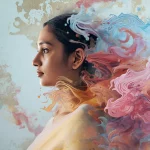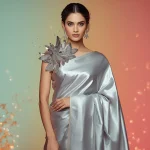


Discover the art of creating breathtaking, highly realistic portraits of elegant women using advanced AI prompts that emphasize soft lighting, candid expressions, and mystical environments.
Creating realistic and emotionally resonant portraits has always been a primary goal for digital artists. With the rise of advanced generative models, capturing the subtle nuances of human expression, delicate drapery, and complex lighting has become more accessible than ever. Whether you want to generate a serene forest spirit, a powerful corporate leader, or a majestic desert nomad, the secret lies in crafting highly detailed prompts that guide the AI's understanding of light, texture, and mood.
This guide explores ten premium prompts designed to produce elegant women's portraits. We will dive deep into the mechanics of soft lighting, analyze why these candid styles are trending across social platforms, and provide you with actionable steps to achieve professional-grade results. By understanding how to balance environmental elements with subject-focused details, you can unlock unlimited creative potential in your digital art journey.
From the shimmering depths of a crystal-infused sanctuary to the high-contrast reflections of a rain-slicked urban alley, these prompts cover a diverse range of themes. Each prompt is structured to highlight the unique beauty of the subject while maintaining a sophisticated, cinematic aesthetic. Let us explore how you can use these prompts to elevate your portfolio and master the art of AI-generated portraiture.
What Are Elegant Women's Portraits?
Elegant women's portraits are high-quality AI-generated images that focus on capturing the grace, strength, and emotional depth of female subjects. Unlike standard headshots, these portraits place a heavy emphasis on atmospheric storytelling. They combine soft, diffused lighting with candid, unposed moments to create a sense of realism and intimacy. The subjects are often depicted in highly detailed settings, ranging from hyper-realistic corporate boardrooms to fantastical, dreamlike landscapes filled with glowing flora and temporal anomalies.
The key characteristic of these portraits is their sophisticated composition. They avoid flat, artificial lighting in favor of dynamic light sources, such as the golden hour sun, bioluminescent glows, or neon reflections in puddles. This creates depth and highlights the intricate textures of the clothing, from flowing earth-toned gowns to sharp, tailored power suits. By focusing on natural expressions and organic environments, these prompts produce images that feel authentic, artistic, and deeply captivating.
Why Elegant Women's Portraits Is Trending
The demand for realistic, elegant female portraits has surged dramatically on platforms like Instagram, Pinterest, and art portfolio sites. Audiences are moving away from overly processed, plastic-looking AI faces and are instead gravitating toward images that convey genuine emotion and raw beauty. Candid-style portraits, where the subject appears caught in a fleeting, natural moment, feel much more human and relatable. This aesthetic has sparked a major trend in digital storytelling, where creators use these lifelike visuals to accompany poetry, fashion concepts, and cinematic narratives.
Furthermore, the integration of surreal and futuristic elements—such as digital auroras, frozen water droplets, and time-warped fabrics—adds a layer of avant-garde sophistication that traditional photography cannot easily replicate. These unique visual concepts capture attention instantly in crowded social media feeds. Creators and marketers alike use these high-end portraits to establish a premium, artistic brand identity, driving the continuous trend of high-contrast, moody, and ethereal female imagery.
Popular Styles You Can Create
By utilizing the prompts in this collection, you can explore a wide array of artistic styles. Each style leverages specific lighting setups and environmental props to evoke a distinct emotional response:
- Crystal-Infused Forest Sanctuary: Features an African woman in her mid-20s wearing an earth-toned gown adorned with crystals, surrounded by glowing formations and ancient trees.
- Rain-Slicked Urban Alley: A moody, high-contrast street photography style featuring a dancer in dark attire performing amidst neon reflections and wet puddles.
- Desert Nomad Golden Hour: A majestic, resilient aesthetic showcasing a woman with braided hair standing on a sand dune under a fiery sunset.
- Luminous Digital Aurora Veil: A futuristic collage of an African woman enveloped by glowing data patterns and abstract light streams.
- Time-Warp Cosmic Cinematic: A sophisticated look featuring an elegant woman in a futuristic gown surrounded by translucent, flowing fabric ribbons.
- Water Droplet Vortex: A refreshing, dynamic style with a Caucasian woman in a white swimsuit surrounded by a swirling vortex of frozen droplets.
- High-Tech Boardroom CEO: A crisp, professional corporate portrait featuring a powerful female leader in a tailored suit gesturing confidently.
- Ethereal Forest Spirit: A fantasy art style depicting a mystical creature with bark-like skin, glowing eyes, and moss woven into her hair.
- Crystallized Time-Shifted Garden: A hyper-realistic collage of an African woman in an emerald green gown surrounded by fragmented crystal flowers.
- Cloud-Kissed Goddess: A classical mythological style featuring a statuesque goddess in flowing drapery standing against a golden mountain sunrise.
How to Use Elegant Women's Portraits
Using these prompts effectively requires an understanding of how generative models interpret descriptors. To get the most out of each prompt, you should analyze the balance between the subject, the clothing, the environment, and the lighting. You can use these prompts as they are, or customize them by swapping out specific details to match your creative vision. Whether you are generating art for a digital gallery, a social media campaign, or personal inspiration, these prompts provide a robust foundation for high-quality outputs.
To begin, select a prompt that matches the mood you wish to convey. If you want something moody and dramatic, the rain-slicked urban alley prompt is an excellent choice. For something majestic and serene, the cloud-kissed goddess or desert nomad prompts will deliver stunning results. Copy the prompt, paste it into your chosen AI generator, and let the model render the intricate details of the scene.
What Kind of Base Photo Works Best?
If you are using an image-to-image workflow or a photo-editing prompt, starting with the right base photo is crucial. A high-quality base photo ensures that the AI can accurately map facial features, poses, and lighting transitions. The best base photos feature clean, uncluttered backgrounds and clear, natural lighting. Avoid heavily filtered or low-resolution images, as these can introduce unwanted artifacts and distortions during the generation process.
For candid and elegant portraits, choose a base photo where the subject has a relaxed, natural expression. A side profile or a slight three-quarter turn often works better than a direct, stiff headshot, as it adds a sense of movement and depth. Ensure that the subject's clothing is simple, allowing the AI to seamlessly overlay complex materials like iridescent gowns, metallic silk, or tailored power suits according to your prompt instructions.
Which AI Tools Deliver the Best Results?
Different AI image generators excel at different aspects of portrait creation. Choosing the right tool depends on whether you prioritize photorealism, artistic styling, or prompt adherence. Below is an overview of the top tools you can paste these prompts into to achieve optimal results.
| AI Tool Name | Best For | Key Strength |
|---|---|---|
| Midjourney | Photorealism & Artistic Flair | Exceptional rendering of soft lighting, cinematic atmospheres, and complex fabric textures. |
| Flux | Prompt Adherence & Details | Superb accuracy in generating specific details, text rendering, and complex compositions. |
| Leonardo | Customization & Control | Offers multiple fine-tuned models and presets tailored for realistic portraits and fantasy art. |
| ChatGPT (DALL-E) | Ease of Use & Ideation | Great for quick generations, understanding conversational prompt adjustments, and rapid prototyping. |
| Gemini | Vibrant Colors & High Contrast | Excellent at rendering rich color palettes, bright neon lights, and clean digital overlays. |
Pro Tips
To elevate your AI-generated portraits from good to spectacular, consider implementing these professional tips. First, always specify the camera lens and style in your prompt if you are aiming for a photographic look. Terms like '85mm lens', 'f/1.8 aperture', and 'depth of field' help create a beautiful, soft background blur (bokeh) that makes the subject pop. Second, pay close attention to the eyes; adding descriptors like 'expressive eyes', 'glowing reflections', or 'serene gaze' ensures the AI focuses detail on the face's most communicative feature.
Additionally, don't hesitate to run multiple iterations of the same prompt. AI generation involves a degree of randomness, and subtle variations in seed values can produce vastly different results in lighting and composition. If a portrait is almost perfect but has minor flaws, use inpainting or localized editing features to refine specific areas, such as hands, hair, or jewelry, without regenerating the entire image.
Common Issues and Quick Fixes
When generating complex portraits, you may occasionally run into issues ranging from distorted anatomy to messy textures. Understanding how to troubleshoot these problems will save you time and help you maintain a high standard of quality in your digital art creation.
| Common Issue | Root Cause | Quick Fix |
|---|---|---|
| Distorted hands or extra fingers | Complex anatomical rendering limits in AI models | Use negative prompts like 'deformed hands' or use inpainting tools to regenerate only the hand area. |
| Over-saturated or harsh lighting | Conflicting lighting descriptors in the prompt | Simplify lighting terms to 'soft diffused light', 'natural golden hour', or 'ambient glow'. |
| Muffled or blurry facial details | Low resolution settings or soft-focus prompts | Add '8K resolution', 'sharp focus', or 'highly detailed skin textures' to your prompt. |
| Unnatural fabric folds or clipping | Complex gown geometries overlapping with environment | Describe the fabric's movement clearly, such as 'flowing gently around her feet' or 'billowing in the wind'. |
Frequently Asked Questions
How do I get realistic skin textures in my AI portraits?
To achieve lifelike skin textures, include descriptive keywords like 'fine skin details', 'natural pore texture', or 'raw photography' in your prompt, and avoid using heavy styling terms that might smooth out facial features.
Which AI tool handles soft, natural lighting best?
Tools like Midjourney and Flux are exceptional at rendering soft golden hour light, volumetric mist, and realistic light reflections on surfaces like wet pavements or crystal formations.
Can I customize the ethnicity and clothing of the subjects?
Yes, you can easily swap out descriptors such as 'African woman in her mid-20s' or 'emerald green evening gown' with your preferred demographic details and fashion styles to customize the output.
Conclusion
Creating elegant women's portraits with soft lighting and candid moments is a rewarding way to explore the capabilities of modern AI art generators. By utilizing the carefully curated prompts in this guide, you can produce stunning, high-contrast, and emotionally evocative images that stand out in any digital gallery. Remember to focus on the interplay of light, texture, and environment to bring your subjects to life.
As you experiment with these prompts across tools like Midjourney, Gemini, and Flux, you will develop a deeper intuition for prompt engineering. Don't be afraid to mix and match elements from different prompts to create entirely new, hybrid styles. Keep refining your technique, embrace the creative process, and enjoy generating unlimited, breathtaking masterpieces on Random Prompts.